
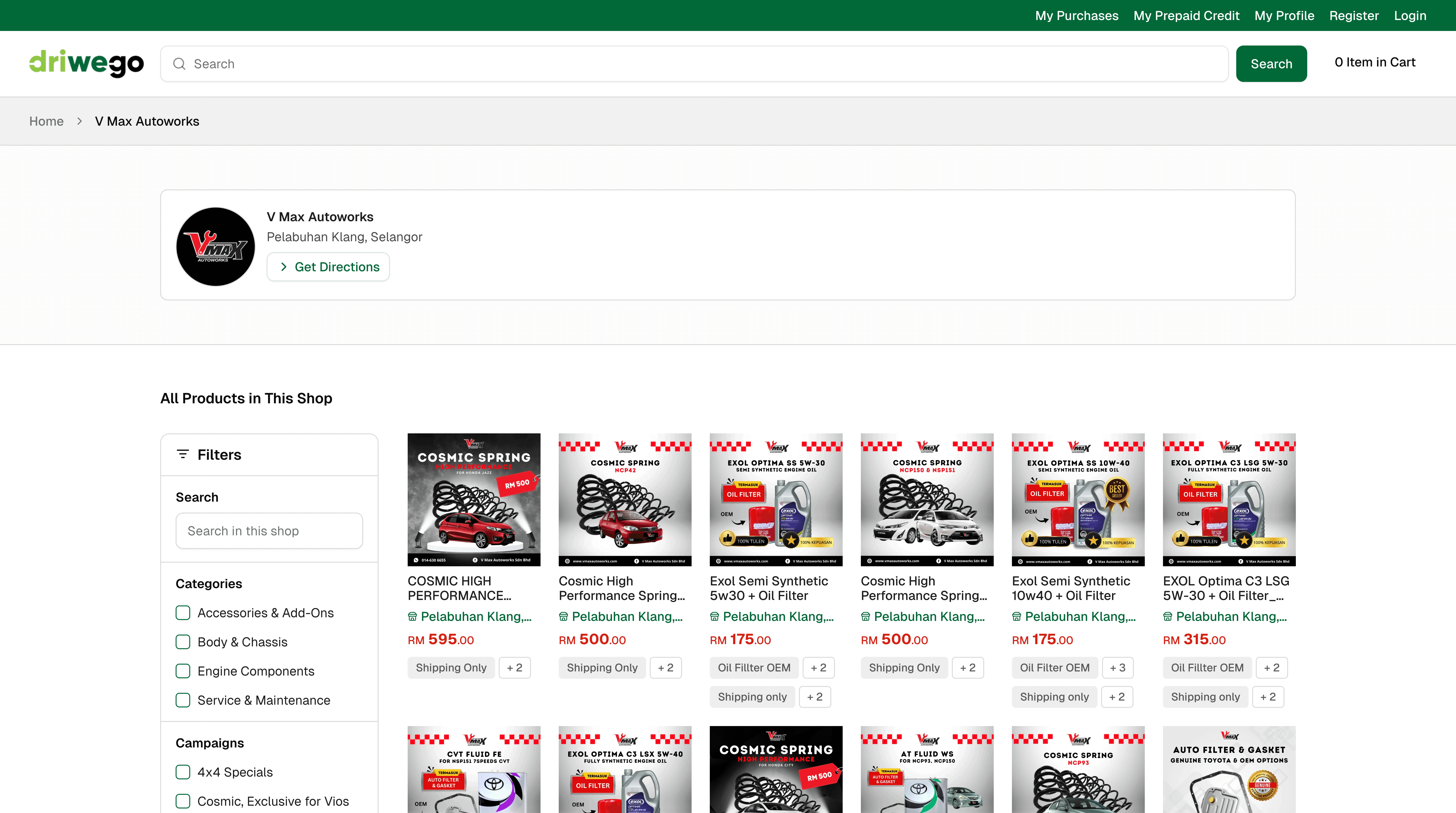
Every seller on Driwego operates a storefront — a dedicated shop page that exists independently of any individual product listing. Before you buy anything, you can see who you're buying from.
What you can do from a seller's storefront
Go to any product listing.
Select the seller's name or shop link on the product page.
You'll land on their storefront — their full product range, their shop location, and any collections they've organised.
Browse their collections to see how they've grouped their inventory. A seller who has organised their stock by service type or vehicle category is telling you something about how they operate.
Check their location. If you want to collect in person or want to know where your parts are coming from, it's there.
Other improvements
Sellers can create Workshop Collections — curated product groupings for specific service types or vehicle categories. These appear on their storefront page.
Sellers can feature specific products on their storefront independently of their full catalogue.
Storefront pages generate their own URLs and are indexable — a seller's shop is findable directly, not only through product search.